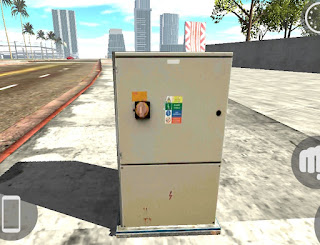
P 9
In-game cheat code for the Code & Prop section. Type the code below in-game to unlock P 9.
p9 This entry is part of the Bike Cheat Code cheat database — an independently maintained catalogue of in-game codes and plug-ins for the Bike Game series. P 9 is one of the more popular entries in our code & prop catalogue — the code listed above was pulled from the same dataset on the last sync, so it should match what is currently working in-game. Every entry on the site is sourced from a single public dataset and re-verified on each sync, so the code or plug-in link above should match what is currently working in-game. If something is broken, please email the address in the footer so we can flag it on the next refresh.
What is this cheat?
When we catalogued P 9 into the Code & Prop section, the upstream dataset confirmed both the code and a matching in-game asset — that is the basis for the entry you see on this page.
How does it work?
For Code & Prop assets like P 9, the source game matches the typed string against an exact entry — even one extra character will cause it to fail.
How to use it
- Begin a session in the source game, then navigate to the code-entry screen. Most versions place it inside the in-game phone.
- Copy and paste the code if you are not sure you have it right. The source game accepts whitespace exactly as you type it.
- Send the entry. The Code & Prop asset will be flagged as available and you can spawn it from your in-game menu immediately.
- When the code does not work, save your game, restart, and re-enter. Cold loads tend to be more reliable than mid-session entries.
Frequently Asked Questions
Where do I type the P 9 code?
Open the source game and find the cheat-code input field — usually inside the in-game phone or settings menu. The code & prop section's code field accepts the P 9 value directly.
The P 9 code does not work — what now?
Make sure you typed P 9 exactly as shown, with no extra spaces. Some games only accept code & prop codes after a fresh session — restart the game and try again if the entry is rejected.
Is the P 9 code case-sensitive?
Most in-game cheat codes — including P 9 — are case-insensitive. If the typed value is rejected, try it again in lowercase to rule out a capitalisation issue.
Related Cheats

Ramp
In-game cheat code — type the value below to unlock in your game.
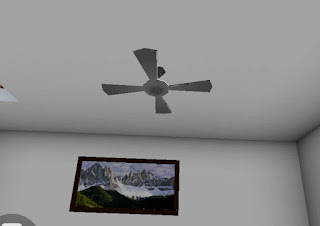
Fan On
In-game cheat code — type the value below to unlock in your game.
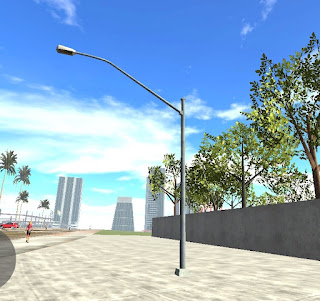
Road Light
In-game cheat code — type the value below to unlock in your game.

Fan Off
In-game cheat code — type the value below to unlock in your game.