
Trending File (pc codes)
RGS Load Files resource delivered as an external plug-in file. Open the link below to download the file, then load it in the source game.
https://bikecheatcode.online/data/codes/0051_acd6b1_home_plugin_rgs_load_file_Buggy_.glb RGS Load File entries — community-uploaded plug-ins using the RGS load-file format. Trending File (pc codes) ships as a plug-in file rather than a typed code, which means it works slightly differently — you copy the link, drop the file into the source game's loader, and the model becomes available in your world. These are advanced plug-ins that often require the RGS mod-loader to be installed alongside the game. Check the description before installing.
What is this cheat?
Trending File (pc codes) is part of the RGS Load Files plug-in ecosystem — every entry in this family ships as a downloadable file and is hosted by its original uploader.
How does it work?
Plug-in RGS Load Files assets like Trending File (pc codes) are independent of the typed cheat system. The two never collide, so you can run typed codes and plug-ins side by side in the same session.
How to use it
- Copy the link or open it in a browser to download the RGS Load Files file. The host may be Dropbox, R2, Google Drive or a similar public file host.
- Save the file as-is. Renaming it will prevent the source game from loading the RGS Load Files plug-in.
- Drop the file into the correct plug-in directory. Each version of the source game has its own folder structure — consult the game's help if you are stuck.
- Restart the source game so the plug-in loader picks up Trending File (pc codes). Mid-session reloads do not refresh plug-ins.
- Open the RGS Load Files menu in-game — Trending File (pc codes) should now be selectable. If it is missing, double-check the plug-in directory path.
Frequently Asked Questions
Is Trending File (pc codes) a code or a plug-in?
Trending File (pc codes) is a plug-in — an external file you load into the game. It does not have a numeric in-game cheat code, so do not look for one in the code field.
Where is the Trending File (pc codes) file hosted?
The Trending File (pc codes) file is hosted by its original uploader (Dropbox, R2, Google Drive, etc.). Bike Cheat Code only links to the public URL — we do not store the file ourselves.
Is the Trending File (pc codes) file safe to download?
We link to the same public URL for Trending File (pc codes) that the source dataset provides. As with any external download, scan the file with your own anti-virus before use.
Related Cheats

Flood Map
External plug-in file — load using the source game's plug-in loader.
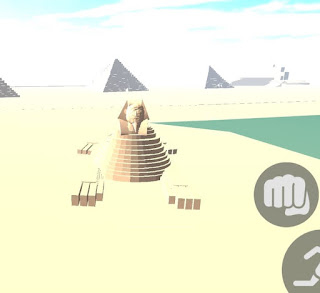
Pyramid Map
External plug-in file — load using the source game's plug-in loader.

Octopus Map
External plug-in file — load using the source game's plug-in loader.

GT₳-5 City
External plug-in file — load using the source game's plug-in loader.